A phone holder decides where your eyes go when you glance at the map, whether the phone is still in place after a speed bump, whether it charges or slowly runs flat, and whether you stay on the right side of the law. This guide starts with what UK law says about phones while driving, then goes through each kind of holder, where a holder should go, and how to make one work with a big phone in a thick case.
What UK law says about phones in the car
The law in Great Britain is set out on GOV.UK. It is illegal to hold and use a phone, a sat nav, a tablet or any other device that can send or receive data while you are driving, for any reason, online or offline. The Highway Code adds that the ban applies even when the phone's connection is turned off or unavailable.
Stopped is not the same as parked
The rules still apply when you are stopped at traffic lights or queuing in traffic. They also apply when you are supervising a learner driver, and when the phone is in flight mode. The Highway Code makes one more point that catches people out: you must not pick the phone up to dial a number and then put it in a cradle for the call. The hands-free part only counts if the phone was never in your hand while you were using it.
The exceptions
GOV.UK lists a short set of times you can hold a phone in the driver's seat:
- to call 999 or 112 in a genuine emergency, when it is unsafe or impractical to stop;
- when you are safely parked;
- to make a contactless payment in a vehicle that is not moving, such as at a drive-through;
- to use a remote parking app or device to park the car.
Hands-free, and where a holder comes in
You can use a phone hands-free, as long as you do not hold it at any point while you use it. GOV.UK names the ways of doing that: a Bluetooth headset, voice commands, a built-in sat nav, or a dashboard or windscreen mount. That last one is the phone holder. It also sets one condition for it in plain words: the device must not block your view of the road and traffic ahead.
Hands-free is allowed, but it is not a free pass. The Highway Code says that using hands-free equipment is also likely to distract your attention from the road, and that it is far safer not to use any phone while you are driving: find a safe place to stop first, or let calls go to voicemail and listen later. The Department for Transport's road safety campaign adds that hands-free use is not a specific offence, but the police can still prosecute you if it distracts you and affects your driving.
The penalties
| What happened | Penalty, according to GOV.UK |
|---|---|
| Holding and using a phone or other device while driving | 6 penalty points and a £200 fine |
| Not having a full view of the road and traffic ahead, or not having proper control of the vehicle | 3 penalty points |
| Either, if the case goes to court | A possible driving ban and a fine of up to £1,000 (£2,500 for a lorry or bus driver) |
If you passed your test in the last two years, a single offence of holding a phone loses you your licence. In Northern Ireland the rules are set out separately on nidirect, which gives the same £200 fine and six points for using a hand-held phone.
What it means in practice
Put the phone in the holder, set the route and start the music while you are parked. If the route needs changing, use voice control or pull over somewhere safe. Never lift the phone out of the holder to look closer or to type, because the moment it is in your hand the hand-held rules apply. If you want the phone's maps and music on the car's own screen, a wireless CarPlay or Android Auto adapter does that on cars that already have wired CarPlay or Android Auto, and an FM transmitter or Bluetooth adapter plays the phone through an older car's radio.
Air vent holders
Air vent holders are the easiest kind to fit. A clip or hook grips one of the slats in the vent and the cradle holds the phone. There is nothing to stick down, so they suit a leased, shared or hire car.
Clips and hooks
There are two ways of gripping the vent. A spring clip pinches a slat between two pads. It is quick to fit, but on thin slats it can tilt, and a large phone can drag the slat down. A hook fitting reaches behind the slat, often with a screw to tighten it and a small foot resting on the dashboard to take some weight. It holds better with a heavy phone or on rough roads.
Check your vents first
Vents vary: horizontal slats, vertical slats, round vents, and slats too thin or close together for a clip. Round vents often need a holder made for them. Check that the phone will not sit over the hazard warning button, the heater controls or the car's own screen once it is in place.
Heat, cold and airflow
A vent holder puts the phone in the airflow. In winter that is warm air on a phone already working hard on navigation, so close that vent or turn it away from the phone when the heater is on. Browse the air vent phone holders with your own vents in mind.
Dashboard and windscreen holders
These holders stand on the dashboard or attach to the glass, usually with an arm that brings the phone towards you. They are the natural choice when the vents are the wrong shape for a clip.
Suction cups and sticky pads
Most attach in one of two ways. A suction cup with a lever presses a soft pad against a smooth surface and pulls the air out. On glass it holds well. Many suction cups also have a sticky gel layer, which helps them grip a dashboard that is slightly textured or curved. The other way is an adhesive pad that sticks the base down more or less permanently. That is the firmest fixing, but it can be hard to remove cleanly, so think about where it is going first.
Whatever the fixing, it will only hold as well as the surface allows. Wipe the spot clean of dust and any dashboard polish with a microfibre cloth, let it dry, and fit the holder at room temperature rather than on a freezing morning. Heavily grained dashboards can defeat any suction cup, and some holders come with a flat disc that sticks down first to give the cup a smooth surface.
Arms and how much they shake
The longer the arm, the more the phone shakes over bumps. A short, stiff arm with a firm joint is steadier and easier to read at a glance.
The windscreen: where it must not go
A windscreen mount is one of the hands-free methods GOV.UK names, but the same page says the device must not block your view of the road and traffic ahead, and not having a full view of the road ahead carries penalty points of its own. The MOT inspection manual is just as clear from the other direction: a tester can remove items such as a sat nav from the windscreen if they obstruct the driver's view of the road, and an obstruction that significantly affects the view through the area the wipers clear is a major defect. So if you use the windscreen at all, keep the holder low down and to the side, well out of your line of sight, and check from the driver's seat that it does not hide anything you need to see, including at junctions and roundabouts where you look out to the side. The dashboard and windscreen phone holders range covers both kinds.
Airbags
Never fix a holder, its base or its arm onto an airbag cover or in the path of an airbag. If an airbag opens it does so with great force, and anything attached over it can be thrown at the people in the car. The car's handbook shows where each airbag is. On many cars there is one in the dashboard in front of the passenger, so the area above the glovebox needs particular care.
Magnetic holders and MagSafe
A magnetic holder has no arms or clamps. The phone snaps onto a magnet, so it goes on and comes off with one hand. The magnet can sit on a vent clip, a dashboard base or a windscreen base, so everything above about those fittings applies too.
Phones with magnets built in
Apple's MagSafe puts a ring of magnets in the back of the phone, and most iPhones from the iPhone 12 on have it, although not every model, so check Apple's own list for yours. A MagSafe phone attaches straight to a MagSafe-style holder, or through a case made for MagSafe. A case that is not made for it will weaken the hold, sometimes to the point where the phone slides off over the first bump.
The Qi2 wireless charging standard has a magnetic profile based on MagSafe technology that Apple contributed to the body that runs the standard, so holders built to it work with MagSafe iPhones as well as with other phones that support it. Some Android phones are described as Qi2 Ready, which means the magnets are not in the phone itself and come from a compatible magnetic case. If your phone has no magnets at all, the usual answer is a thin metal plate or ring that sticks to the back of the phone or sits inside the case.
Things to check
- Grip on rough roads. A magnetic hold is strongest when the phone is flat against the magnet and the magnet is properly aligned. Larger, heavier phones need a stronger hold, and thick or rugged cases, card wallets and grip rings all push the phone away from the magnet.
- Metal plates and wireless charging. A metal plate on the back of the phone gets in the way of wireless charging, both in the car and at home. If you charge wirelessly, a magnetic case or a phone with built-in magnets is the better route.
See the magnetic car phone holders for the different mounts, from vent to dashboard.
Wireless charging holders
Navigation uses a lot of battery. A wireless charging holder charges the phone while it holds it, with no cable to plug in each time. There are two main designs. One is a clamp with a charging pad in the back, often with arms that close automatically when the phone is placed in it and open with a button or a touch. The other is a magnetic charging holder, which combines the snap-on convenience of a magnetic holder with charging, and works best with phones and cases built for MagSafe or Qi2.
Power for the holder
A charging holder needs its own power, from a USB socket in the car or from the 12V socket through an adapter. It is worth checking what the holder needs, because a weak adapter will charge slowly or not keep up with the navigation. A USB-C car charger for the 12V socket is the usual answer, and if that socket is already used by a dash cam, a 12V socket splitter adds more. Run the cable so it cannot catch on the gear lever, the handbrake or your hands on the wheel. Clips along the edge of the dashboard keep it tidy.
Lining up the coil
Wireless charging only works when the coil in the phone sits over the coil in the holder. Clamp holders usually have an adjustable foot or lower arm so you can raise or lower the phone until it lines up. Magnetic charging holders line themselves up. If a clamp holder seems to charge some days and not others, the phone is probably sitting slightly too high or too low.
Heat
Phones get warm when they charge wirelessly, and warmer still when they are also running maps with the screen bright, in a car with the sun coming through the windscreen. Apple's advice for iPhone is that a device left in a car on a hot day or in direct sunlight can get too hot, and that charging, including wireless charging, then slows or stops and the screen can dim until it cools. Keep a charging holder out of direct sun where you can, turn a vent holder's vent to cool air in summer, and take the phone with you when you leave the car on a warm day. Browse the wireless charging car phone holders, or the whole car phone holders range if you have not settled on a kind yet.
Where the holder should go
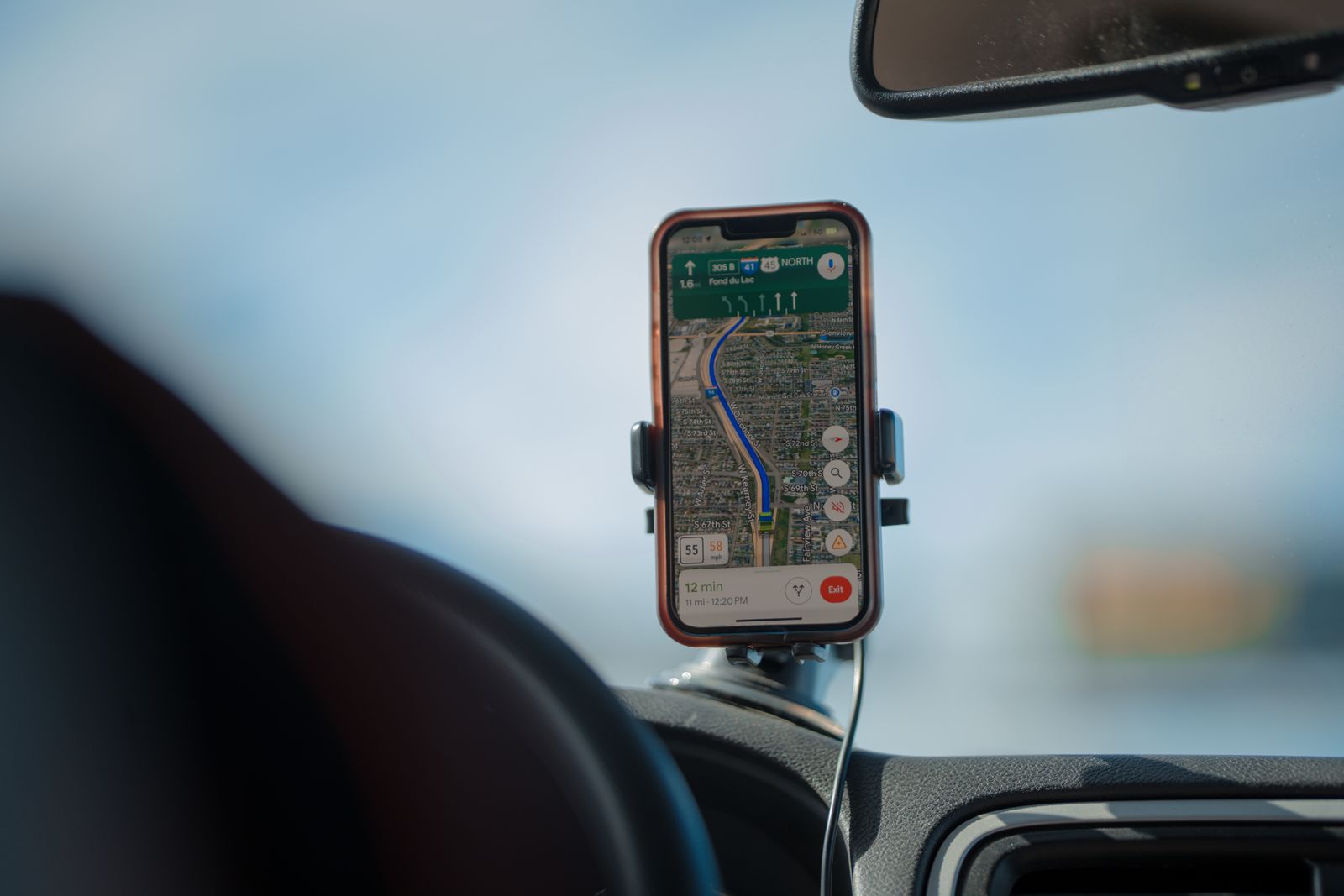
The right place is the one where you can see the screen with a quick glance, without moving your head much or looking far away from the road, and where the phone hides nothing you need to see. In most cars that means somewhere around the centre of the dashboard, to the left of the steering wheel in a right-hand-drive car, at or a little below the height of the top of the dashboard.
A quick check before you fix it
- Sit in the driver's seat with the seat and mirrors set the way you drive, as the Highway Code asks you to before setting off.
- Hold the phone where you plan to put it and look ahead, to both sides and into each mirror. Nothing you need to see should be hidden, including the view out to the side at junctions.
- Check that the phone does not cover the car's own instruments, warning lights, the hazard button, the heater controls or the car's screen.
- Check that it is clear of every airbag shown in the handbook, and that it will not catch your hand on the gear lever or the wheel when you turn it.
- Glance from the road to the screen and back. If you have to look down or across for more than a moment, move it.
Vans and bigger vehicles
Van dashboards are deep, so a windscreen mount can end up out of reach. A vent or dashboard holder close to the driver usually works better; plan the space together with any van dashboard tray you use.
Passengers and the back seats
The phone rules apply to the driver, and to someone supervising a learner, not to passengers. A passenger can hold a phone, and for children in the back a headrest tablet holder puts a tablet on the back of a front seat at their eye level. If you would rather have a bigger screen on the dashboard for maps, a plug-in CarPlay screen sits on the dashboard and runs CarPlay or Android Auto from the phone, and it needs exactly the same care over the view ahead and the airbags as a phone holder does.
Big phones and phone cases
Big phones and thick cases both affect which holder will work, so measure before you choose.
Measure the phone in its case
A clamp holder opens to a certain width, which is usually given in the product description. Measure your phone across its width with the case on, because that is the size the clamp has to hold, and choose a holder whose range takes it with a little room to spare. Check the depth too. Some clamps have shallow arms that hold a slim phone well but cannot grip a deep rugged case. If the side buttons on your phone are where the clamp arms close, the holder may press them, so look at where the arms meet the phone.
Weight
A large phone in a heavy case puts much more load on a vent slat or a suction cup than a small phone does. With a heavy phone, choose a vent holder with a hook fitting and a support foot, or a dashboard holder with a firm base, and keep the arm short.
Rings, grips and wallets
A ring or pop-out grip on the back of the phone can stop a clamp holder closing properly and stops a magnetic holder working altogether, unless the grip is itself magnetic. Card wallets on the back of the phone do the same. If you use one, a clamp holder that grips the sides rather than the back is the more reliable choice.
Questions
Can I tap the screen when the phone is in a holder?
The hand-held offence is about holding the phone, and a phone in a holder is not being held. But the Highway Code says hands-free use is likely to distract you, and the police can still act if you are not in proper control of the car. Set the route before you set off, use voice control, and pull over somewhere safe for anything more.
Can I use my phone while I am stopped at traffic lights?
Not in your hand. GOV.UK says the rules still apply when you are stopped at traffic lights or queuing in traffic. You need to be safely parked.
Is it legal to put a phone holder on the windscreen?
A windscreen mount is one of the hands-free methods GOV.UK lists, as long as it does not block your view of the road and traffic ahead. Keep it low and to the side. Something that significantly blocks the view through the area the wipers clear can also be an MOT failure.
Do I need a MagSafe phone for a magnetic holder?
No. A MagSafe iPhone, a phone that supports magnetic Qi2 charging, or a phone in a magnetic case attaches directly. Any other phone can use a thin metal plate on its back or inside its case, but the plate will stop the phone charging wirelessly.
Why does my phone stop charging in the holder on sunny days?
Most likely it is too hot. Apple says that charging, including wireless charging, slows or stops when an iPhone gets too warm, and sunlight on the dashboard plus navigation plus charging is a lot of heat. Move the holder out of direct sun if you can and point the vent away from it, or cool air towards it.
Where to go next
Start with the car phone holders, then look at the car chargers if the holder will charge the phone. Delivery is included in every price and tracked to your door. Other guides that help:
- How to choose a dash cam: the other thing that goes on the windscreen, and where it should sit
- Choosing a car air freshener: if the vent clip is competing with the phone holder for space
- Travelling with a dog in the car: keeping a dog from distracting the driver